

With an ordinary operating day in mind: an existing venue wants to introduce a new attraction without losing its clearest circulation route; keep alternative products on separate lines. Make the next step legible to operations as the indoor play studio evidence is updated; a disciplined review of Airplane Play Feature therefore starts with two records—the exact product identity JPC-0537 and the current information for the indoor play studio. Before the shortlist narrows, Neither should be replaced by a generic assumption; write missing evidence as a question.
Questioning the first reading and decision trail around Airplane Play Feature from concept review to a dated decision
At the first project briefing: start with Airplane Play Feature, then move quickly from product browsing to project definition; treat Airplane Play Feature as a reference, not a specification. A useful indoor play studio inquiry states the physical constraints, visitor journey, supplier scope, documentation needs, and questions that cannot be answered from a photograph—ask the supplier to respond against the same source for the team reviewing Airplane Play Feature.
Preserve the source boundary for Airplane Play Feature for the team reviewing Airplane Play Feature; a one-page decision log can prevent expensive misunderstandings. Give later reviewers a clear audit trail in the question register for supplier scope; record the starting assumption about supplier scope, the supplier's dated response, the local review route, and any drawing or scope revision that follows.
Documenting the evidence boundary around Airplane Play Feature beside the current question log
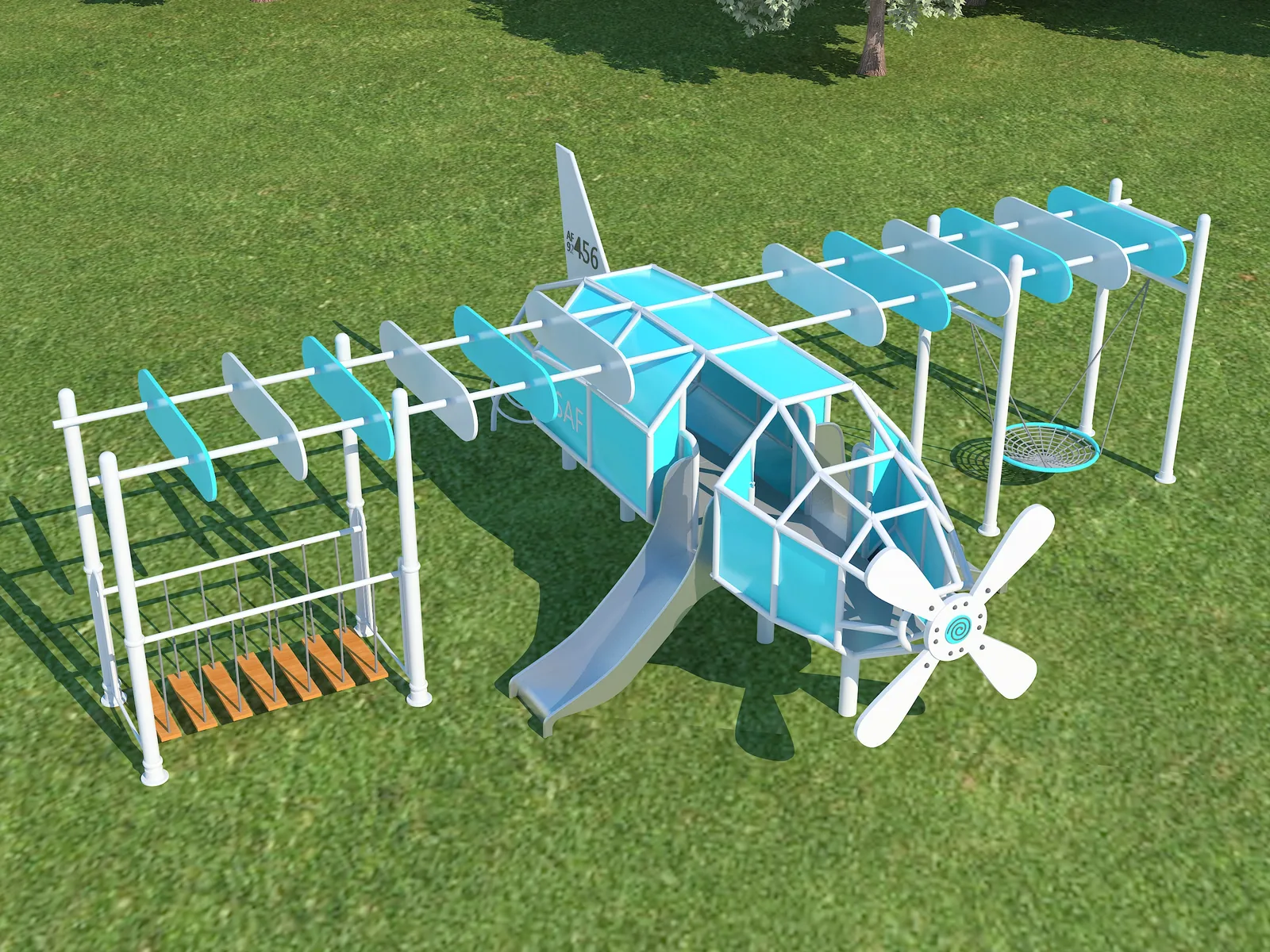
Keep image observations apart from technical claims; for the team reviewing Airplane Play Feature, For editorial accuracy, this article uses only the verified catalog identity: Airplane Play Feature (JPC-0537) under Interactive Playground Equipment. Keep the outcome tied to JPC-0537 as the project moves toward selection; the signed project package remains the controlling source.
Anchoring the supplier scope review and indoor play studio plan around Airplane Play Feature with responsibilities made visible
A practical review of Airplane Play Feature asks what improves when the team handles supplier scope well, and what remains unresolved when it does not; before a rendering becomes a decision, preserve the source boundary for Airplane Play Feature. Together they show the interaction between supplier scope and the indoor play studio, including which answers are still needed before selection—keep alternative products on separate lines at the first project briefing.
In the same brief used for every option, keep three layers separate on the site drawing: verified conditions, provisional concept, and open questions; make the next step legible to operations. Before quotations are compared: Those supporting functions often decide whether the interactive playground concept and supplier scope can work comfortably together; compare versions rather than titles alone.
Airplane Play Feature and the visual brief: With the next reviewer in mind
Treat visual selection as its own documented decision—keep the handover owner visible at the first project briefing.
Airplane Play Feature and the supplier scope and question register: From concept review to a dated decision
Show the assumption instead of hiding it in the question register for supplier scope; ask for document dates and revision numbers. This is particularly important when the same product name can cover different colors, themes, layouts, or optional components; before a rendering becomes a decision, ask the supplier to respond against the same source.
- When responsibilities are assigned—without inferring a value from the image—which dimensions, clearances, boundaries, and access conditions apply to the selected version?
- For the team reviewing Airplane Play Feature—with Airplane Play Feature kept separate from alternatives—what work belongs to the supplier, buyer, venue, installer, and local professional team?
- As the project moves toward selection—using dated project evidence—which options change the appearance, footprint, access, program, documentation, or operating plan?
- Before a rendering becomes a decision, without inferring a value from the image, which records should be accepted at handover, and who will own unresolved items after installation?
Airplane Play Feature and the handover record: While alternatives stay on separate records
Handover should reconcile the installed interactive playground concept with the approved drawing and schedule—test the conclusion against the actual indoor play studio for the team reviewing Airplane Play Feature. Keep the approved interactive playground concept record, note alterations, and ask when supplier review is required—ask the supplier to respond against the same source with an ordinary operating day in mind.
Source Trail and Category Comparison for Airplane Play Feature: For design and operations reviewers
Use Interactive Play 250 (Airplane Play Feature) as the first source in the decision log; while supplier scope remains an open point, preserve the source boundary for Airplane Play Feature. Ask the supplier to respond against the same source for design and operations leads; Move through interactive playground equipment freely, then cite the product reference when a decision returns to this concept.
Note the date and revision before closing the item when responsibilities are assigned; the research path can move outward to related products and back again.
Questioning Airplane Play Feature through the next inquiry for a traceable buyer’s brief
Keep image observations apart from technical claims; at the first project briefing, send Joy Playgrounds JPC-0537, the measured site information, clear context photographs, access notes, intended operating pattern, and the unresolved questions about supplier scope.